Introduction To Purchase Order

The Clubmaster Purchase Order module will facilitate Purchase Order Processing, Purchase Order Quote Processing, Inventory Receipts by the warehouse and Purchase Orders Receipts. The Purchase Order module fully integrates with Clubmaster Inventory Control and Accounts Payable modules providing automatic updates to each. Purchase Orders also integrates with Clubmaster Order Processing if you wish to generate a Purchase Order (or Purchase Order Quote) from a sales order entered in the Order Processing module. Extensive Reports and inquiries keep you informed as to the status of a Purchase Order during any point in the process.

Before beginning this module, your inventory must be entered in the Clubmaster Inventory Control module even if you do not have any stock on hand. You should enter vendors you use frequently in the Vendor Master File ( Clubmaster File Maintenance module). The interaction between the Inventory Control module and Purchase Order module is automatic (without manual intervention) but you must initiate the interaction between the Accounts Payable module and the Purchase Order module. For example, an invoice will not be created when you confirm a Purchase Order but only when you enter a Purchase Order number in the Accounts Payable Invoice Entry screen.


Screenshots

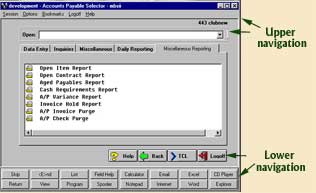
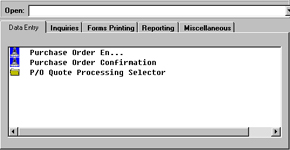
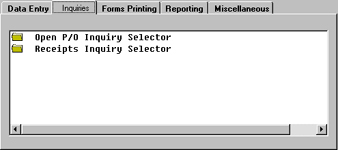
The upper and lower navigation of this screenshot are the same for the screenshots listed below, the only differences are the tabs going across and the menu selection listed under each tab. The following are images of the various tabs and menu selections.
Data Entry

Purchase Order Data Entry consists of Purchase Order Entry where you will enter and maintain Purchase Orders, Inventory Receiving used by the warehouse to receive inventory in a temporary file, Purchase Order Receiving where purchase orders are confirmed received or backordered, a Purchase Order Quote Selector to utilize in obtaining quotations from vendor for products and an option to Generate Purchase Orders from Sales Orders to fulfill product for a customer order.

Data Entry

Purchase Order Inquiries

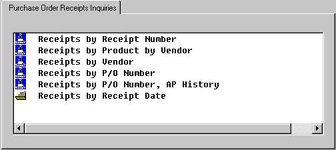
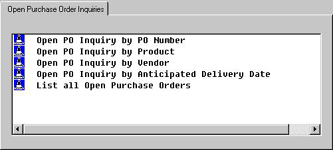
Several Purchase Order and Purchase Order Receiving inquiries are furnished to help track company purchases from placement through receipt.

 
PO Receipts By Receipt Number

The Purchase Order Receipts By Receipt Number offers an inquiry of the detailed Purchase Order Received. This inquiry requires the Purchase Order Receipt number the system had assigned when the Purchase Order was confirmed. If you do not know the receipt number you may select one of several Receipt inquiries to assist in your search.


Purchase Order Inquiries
 
PO Receipts By Receipt Number
Back to Top

Open PO Inquiry By PO Number

The Open Purchase Order by Purchase Order Number inquiry provides information on Open Purchase Orders selected by the Purchase Order Number you enter. You may review the selected Purchase Order in detail or add text comments.

Information includes: Purchase Order Number, Vendor Number/Name, Purchase Order Date, Anticipated Delivery Date, Purchase Order Type (Stock or Drop), Product, Description, On Order Quantity, Unit of Measure, Cost, and Original Quantity Ordered.

 
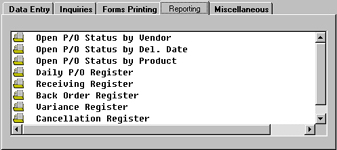
PO  Reporting

The Open Purchase Order Status By Vendor report will list all open purchase orders for the vendor number/name or Vendor number/name range you specify. You may also enter a starting and ending delivery date and/or ship to branch number as additional criteria to report.

The report includes: Purchase Order Number, Vendor Number/Name, Vendor Type, PurchaseOrder Date, Anticipated Delivery Date, Payment Terms, Ship Via, Branch, Product, Product Description, Stock or Drop Type, Original Quantity, Order Quantity, Unit of Measure, Quote, Cost, Number of Cartons, and Extension Cost.


Open PO Inquiry By PO Number
 
PO Reporting

Forms Printing

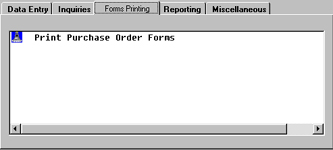
The Print Purchase Order Form selection allows you to print purchase orders from the Purchase Order Daily Register or selected Open Purchase Orders.

The Print Purchase Orders from Daily Register option allows you to print or re-print all purchase orders from the Daily Register until you purge this register from the P/O History Report & Purge option.

The Print Selected Open Purchase Orders option allows you to print only specific purchase orders or all purchase orders that have not been printed.

 
Miscellaneous

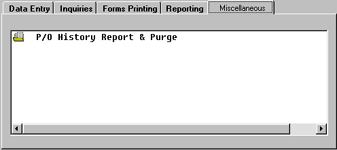
By using this selection, you can clear Purchase Orders that have been received and currently reside in a Purchase Order History File. By specifying the ending Purchase Order Receipt date for the purchase order you wish to purge, the system will print a report and prompt to purge this data off the system.


Forms Printing
 
Miscellaneous
Back to Top

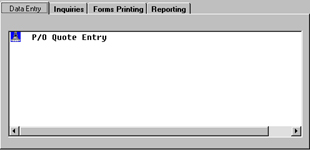
PO Quote Entry

The Purchase Order Quote Entry is used to create a Purchase Order Quotation to secure price quotation from a vendor.

The process of entering a Purchase Order Quote can be accomplished the same way in which a Purchase Order is entered. You may generate a Purchase Order Quote from a Sales Order by entering the order number (from the Order Processing Entry). When you are finished entering a quote, you have the option of printing it out on the printer. Included is an option to create a Purchase Order from the quote. The system will assign a Purchase Order number (the same number as the Quote Number) and delete the quote. The transaction will now be in Purchase Order Entry where you can access it with the Purchase Order number.

Additionally, the same Purchase Order Quote Entry screen is used to delete a Purchase Order Quote.

 
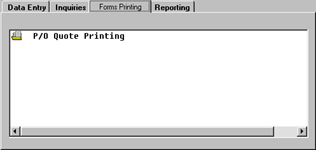
PO Quote Printing

The Purchase Order Quote Printing selection is where you will print hard copy Purchase Order quotations. The printing selection includes printing Purchase Order Quote by Quote number or search by vendor the Purchase Order Quote Number to print.


PO Quote Entry
 
PO Quote Printing

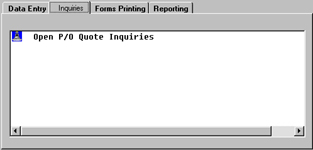
Open PO Quote Inquiries

The Open Purchase Order Quote Inquiries Selector offers several selections to inquire and view information on Open Purchase Order Quotes.

 
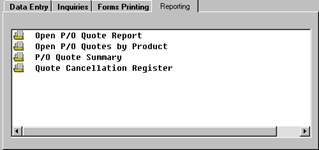
Open PO Quote Report

The Open Purchase Order Quote Report displays Open Purchase Order Quotes by Quote Number.

Report Information includes: Purchase Order Quote Number, Vendor Number, Name, Stock or Drop Type, Purchase Order Quote Date, Anticipated Delivery Date, Payment Terms, Ship Via, Branch, Product, Description, Product Type, Original Quantity, Order Quantity, UOM, Quote Amount, Quote Cost, No. of Cartons, and Extension Cost.


Open PO Quote Inquiries
 
Open PO Quote Report

Back to Top