Data Entry
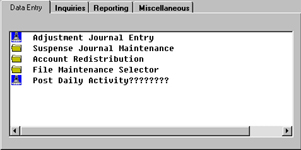
File Maintenance Selector
The General Ledger File Maintenance Selector offers data entry and reporting
of the master file groups that are to be setup in order to facilitate processing GL
accurately. The master files consist of the Master Chart of Accounts
Entry, Division and Region control files and other master files that may apply to
your business General Ledger.
 |
| Back to Top |
Misc Journal Updates
The General Ledger Individual Suspense Journals Printing and Posting prints by
selected Suspense Journal(s), lists all activity for each account within each Suspense Journal and posts
the selected Journal(s) to the Journal File. As you may recall, the Suspense Journal is where all your
current account transactions are held until you run the Suspense Journals Batch Printing and Posting or
this Individual Suspense Journals Batch Printing and Posting to update the entries from Suspense to the
General Ledger Journal Files. |
|
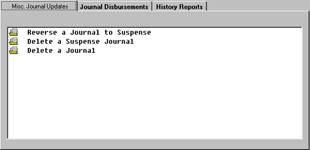
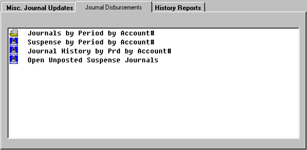
Journal Disbursements
|
 |
|
 |
|
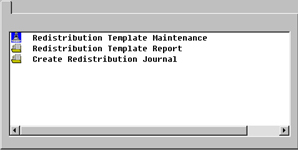
Account Redistribution Selector
The Account Redistribution selector offers several options to perform Account
Distribution. In the course of setting up your Chart of Accounts and charging out transactions, it often
occurs that you do not want to distribute a posting to only one account - that you want two or more accounts to
share the distribution on the posting. For example, you may want Sales and Miscellaneous Expense to share in the
Telephone postings to Accounts Payable.
 |
| Back to Top |
Inquiries
|
|
Reporting
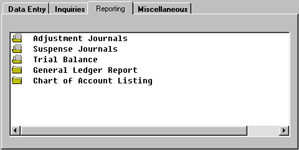
The General Ledger Suspense Journals Batch Printing and Posting prints
Journal by Journal, lists all activity for each account within each Suspense Journal and posts
to the General Ledger Journal File. As you may recall, the Suspense Journal is where all your
current account transactions are held until you run the Suspense Journals Batch Printing and Posting
to update the entries from Suspense to the General Ledger Journal Files (normally in preparation for
opening a new posting period). In usual business practice, you would ask Clubmaster to print
the Suspense Report for the month in which you are working, although you do have the option of including
all months (which are still in Suspense) in the report. |
 |
|
 |
|
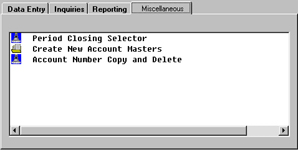
Period Closing Selector
The Period Closing Selector renders several selections to prepare and complete month
and year end processing. |
|
Purge Journal History to Tape
The Purge Journal History To Tape selection allows you to clear out your history file
and backup the information on to tape. After you have made adjustments to your journal entries, after you have
updated your Budgets for the new year, and after you have completed your Year End Processing, your General Ledger
files are still present in your computer in the form of History Files. This selection may be used to clear this
data from history.
You may want to clear out your history Files each year. Depending upon the disk storage
capacity of your hardware system, you may want to keep several financial years' data in your resident history files.
But sooner or later you will want to clear off these files and backup the information on to tape for future use. |
 |
|
|
|
| Back to Top |
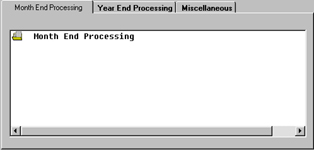
Month End Processing
General Ledger Month End Processing should be performed each month. After
answering the prompts, the system will move through all your account postings (you will notice
numbers quickly scrolling on the screen) and close each one out for the month. When the system
is finished processing all your postings will automatically purge your Journal Entries to History. |
|
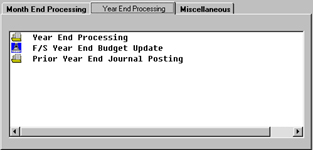
Year End Processing
Year End Processing will update all General Ledger Journals for the year. Clubmaster will automatically
close out the accounting year and post all your journals to History Files. Clubmaster will also automatically zero out
any "Expense" transactions. History Files may remain on system or saved to tape for storage.
Before you select this option we have included a Prior Period Year End Journal Posting
selection as part of the Year End Processing providing an opportunity to make any additional postings to General Ledger
Journals Before you run the year end update. (See Prior Year End Journal Posting) |
 |
|
 |
|
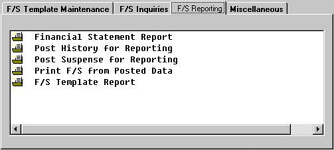
Financial Statement Reporting
The Financial Statement Report selection allows you to print your financial statements.
Financial Statements may be selected to print incorporating the following criteria or individually. By Company,
Specific Reports, By Region, Posting Month, Fiscal Year, Suspense Preview Statement and Consolidated/Conversion ID. |
|
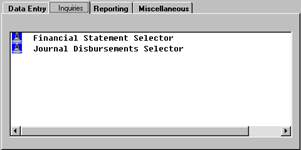
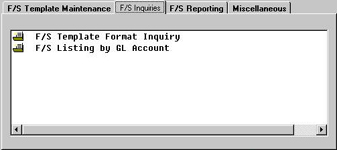
Financial Statement Inquiries
The Financial Statement Selector allows you to create, maintain, inquire, and report on your Financial Statements. |
 |
|
 |
|
| Back to Top |
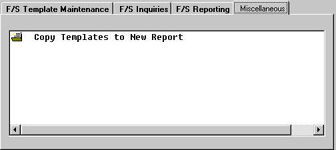
Copy Templates To New Report
The Copy Templates To A New Report selection allows you to
copy report templates from one of your existing financial statements and assign it a new
report number.
For example, suppose you have a report called BALANCE SHEET
(Report #100) which covers Assets and Liabilities and you decide to create a new report
called "Liabilities". You could copy this entire report onto a new number and
then selectively list and delete the Heading, Detail, and Total lines to essentially
create a new report with a new number, such as Report #900.
This is a time-saving feature because once you have created the
templates for one report, you can use this selection to create the foundation for other
reports. All headings, columns and spacing will be uniform from report to report.
 |
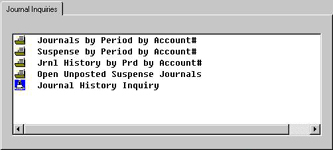
Journal Inquiries
|
|
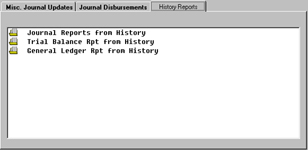
History Reports
The Post Journal History For Reporting transaction allows you to post financial
information from your journal History File and optional Suspense journals to your Financial Statement
Files. The system will prompt for the History data including Company number, Posting Month, Fiscal Year,
and Suspense Journals (option). |
 |
|
 |
|
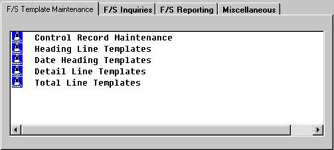
Financial Statement Selector
The Financial Statement Selector allows you to create, maintain, inquire, and report on your Financial Statements.
 |
Back to Top |


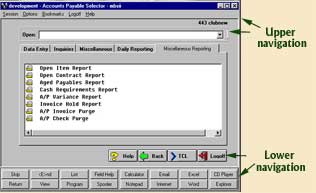 The upper and lower navigation of this
screenshot are the same for the screenshots listed below, the only differences are the tabs going across
and the menu selection listed under each tab. The following are images of the various tabs and menu selections.
The upper and lower navigation of this
screenshot are the same for the screenshots listed below, the only differences are the tabs going across
and the menu selection listed under each tab. The following are images of the various tabs and menu selections.