|
||||||||||||||||||||||||||||||||||||||||
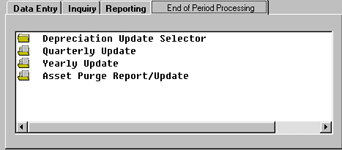
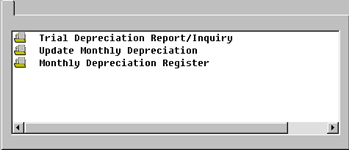
Fixed Assets Clubmaster Fixed Assets is designed to record and process the details of your fixed assets, depreciation methods, schedules and General Ledger Interface information. A customized File Maintenance function records the detailed information to apply to various fixed assets. Although there is no one standard criteria as to the minimum length of life necessary for classification as a fixed asset, it should be capable of repeated use and is ordinarily expected to last more than one year. However, Fixed Assets need not be in continuous or even frequent use. Standby equipment, for use in the event of a breakdown of regular equipment or during peak periods, are still considered Fixed Assets. A Fixed Assets Class Life feature enables assignment of property classes for differing depreciation lengths. ITC Options will help specify a variety of options to assign to your assets. Assets are maintained in a master file with all the unique criteria for each of your fixed assets. With the passage of time, all fixed assets, with the possible exception of real estate, lose their capacity to yield service to your company. As a result, their costs should be transferred in a systematic manner to related expense accounts over their useful lifetime. This periodic cost transfer - Depreciation is handled by Clubmaster Fixed Assets. The Depreciation Review option provides you with all the information you need regarding your assets and their Depreciation History. A Depreciation Update Selector offers several options regarding update of monthly depreciation information. Trial Depreciation Report and Inquiry allows preview (before updating) a depreciation schedule in summary or detail form. The Update Monthly Depreciation function will update the depreciation for the schedule(s) you select. A Monthly Depreciation Register includes depreciation data for the month and a Disbursements Report. In addition, a Disposition selector provides you with the opportunity to dispose of a fixed asset. Included and interfaced with General Ledger is a Disposition Register which allows you to update Disposal Distributions to the General Ledger. |
||||||||||||||||||||||||||||||||||||||||
Screenshots
|
||||||||||||||||||||||||||||||||||||||||
| ||||||||||||||||||||||||||||||||||||||||
|
||||||||||||||||||||||||||||||||||||||||


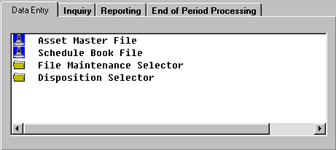
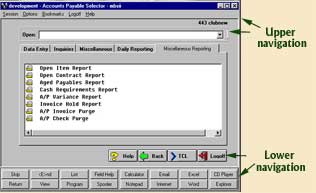 The upper and lower navigation of this
screenshot are the same for the screenshots listed below, the only differences are the tabs going across
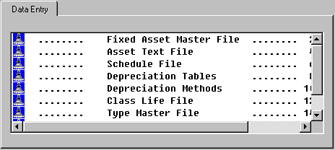
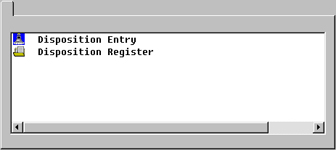
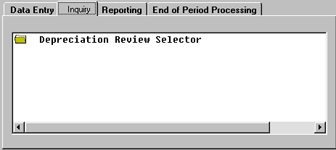
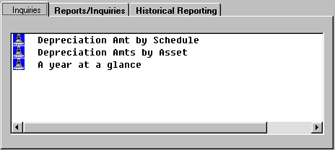
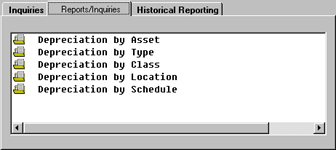
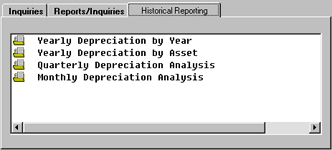
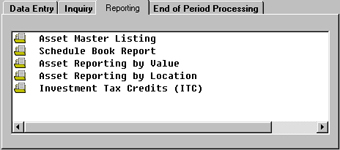
and the menu selection listed under each tab. The following are images of the various tabs and menu selections.
The upper and lower navigation of this
screenshot are the same for the screenshots listed below, the only differences are the tabs going across
and the menu selection listed under each tab. The following are images of the various tabs and menu selections.