Inventory
The Club Inventory Module can be simple or complex depending on the volume and kind of
information your club needs to record regarding your inventory. If you assign product
numbers, descriptions, inventory levels, and pricing, it will not take much time to enter
each item. If, on the other hand, you are interested in recording your costs at several
levels, optional pricing conditions, price overrides, etc., it will take you longer to
set-up the appropriate files. You may start out entering your inventory
in its simplest format since you can always add to the information in the future.
For example, Club Inventory doesn’t only want to know how many tennis rackets you
have in stock, but in what department the tennis rackets are kept. Club Inventory also
needs to know what vendor they came from, how much they cost, and if you sold them
tomorrow how much would it cost to replace them.
As with most of the CLUBMASTER modules, many of the fields in the Club Inventory Files
are optional and not completely necessary for your system to work properly. However, if
you wish to take advantage of all the reports and analysis from the Clubmaster System, you should take the time to
complete all the files you can. |
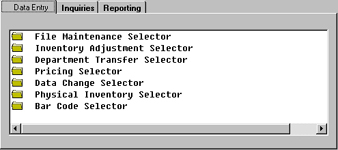
Data Entry
All Inventory functions requiring entry of data such as establishing product numbers
and description, inventory codes, classifications, bar code setup, pricing and physical inventory will be
accomplished in the Inventory Control Data Entry portion of the system. The initial setup of Inventory
will take place in the File Maintenance section.
 |
Inventory Inquiries
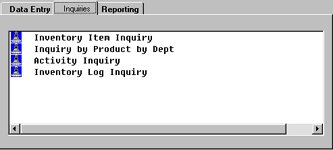
The Inventory Item Inquiry provides answers to inventory questions that you may
have regarding a particular product.
The Inventory Control Activity Inquiry includes critical information about a
product and it's history. The system keeps track of product activity and displays Price Levels, Sales
Order Numbers, Customer Number, Purchase Order Number, Vendor, Due Date and Quantities received and
transferred. |
|
Inventory Reporting
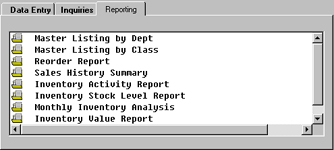
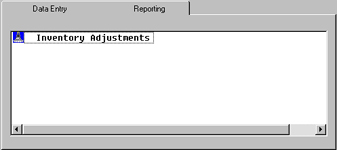
This selection is allowing you to print an Inventory Adjustments Audit Register
without updating the General Ledger. This report allows you to view the inventory adjustments in a
detailed or summary form. The time the adjustment(s) was made is also shown on the report It is recommended
that you print this preview report and analyze it before choosing to update the General Ledger. This will
allow you to make changes before running the update. |
 |
|
 |
|
File Maintenance
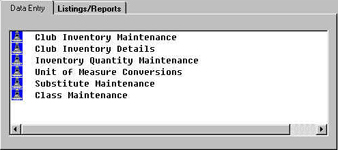
Just as Clubmaster recognizes diversified pricing categories, it will
also recognize varied "quantity" amounts. Through the Unit of Measure Conversion Table, a product can be
inventoried in one unit of measure, but ordered in other units. |
|
Inventory Maintenance
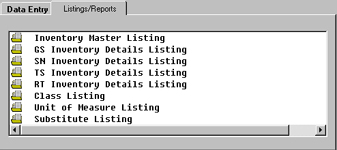
The Substitute Maintenance option allows you to enter a substitute for a product
if inventory is low and another product can be used to fill an order. This option is useful when entering
an order in Order Processing. A Substitute Report provides a list of the products you entered as substitutes
in the maintenance section. |
 |
|
 |
|
| Back to Top |
Inventory Adjustment
After you key in the branch and product code, Clubmaster will return with a description of
the branch and product. The system will prompt "Do you want to add this record?
Y/N". Enter "Y" to make an inventory adjustment. You may key in numbers or
if you press return, the system will assume the quantities to be the same as listed.
Remember to key in a reason for the adjustment, such as "Found one behind shelf
‘, and be certain to key in the person who authorized the adjustment. This
authorization code is originally assigned in the Salesman Master File in the File
Maintenance module.
 |
Inventory Pricing Selector
All price scheduling changes the Unit of Measure price and extension on the order, invoice,
and related reports. This is not the discount which may be taken on an individual order
(see Order Processing Tutorial), which you may still elect to take in addition to the
customer’s price class discount from the Member Master File in File Maintenance.
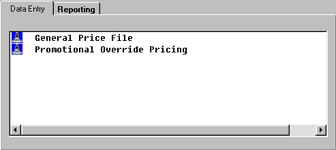
Now that we have our member price code price class matrix defined, the Product Codes
assigned, and a matrix with percentages for each of the sixteen classes completed, it is
time to use this information to actually create the Price Code File (and at the same time
the percentage amount for the Price Classes).
 |
Barcode
Clubmaster Inventory Control interfaces with all the most popular
automated data collection devices tracking inventory and bin locations. To fully automate the Inventory process
Clubmaster will print Product and Bin labels ready for scanning. As you scan inventory, the Clubmaster
Bar Code option downloads the data into the computer. A Transaction Register & Inventory Update feature provides information
on the bar code transactions and allows you to update inventory. Cumbersome Physical Inventory processing is now
simplified through this scanning option. |
|
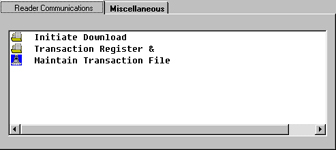
IC Barcode Selector
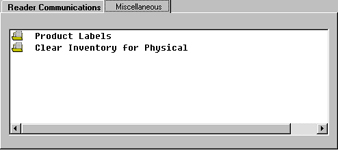
The Inventory Bar Code Selector renders functions to initiate and maintain bar code transactions.
The Reader Communications Selector facilitates the transfer of information from the Bar Code Scanner and enables a review
and maintenance of the transactions downloaded. Once the transactions are acceptable they will update the system.
The Transaction Register & Inventory Update option displays such information as the Bar Code File Number, Type,
Product Number, Description, Quantity, and From Bin and To Bin number. |
 |
|
 |
|
| Back to Top |
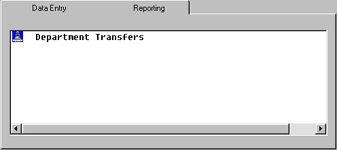
Department Transfer
The Department Transfer Selector renders several options to perform transfer(s) of inventory from one Department
to another along with transfer inquiries, forms and reporting.
It is important to note that if you track inventory by Lot, Bin and Serial Number, to be sure the inventory
products to transfer have been set up accordingly in the Inventory Master File Maintenance screen to
accurately perform Department transfers. |
|
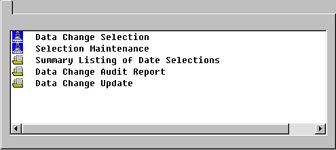
Data Change
The Data Change Selection is used to change inventory data by product class.
Included is the ability to dictate an effective date of the change and the branch(s) to include. This
selection will facilitate data changes to be performed for a whole product grouping (class).
The Data Change Selection simply initiates the change. A Data Change Selection
Maintenance option to modify the selected changes is a separate function along with a Data Change Update
Selection that finalizes and performs the product data change. |
 |
|
 |
|
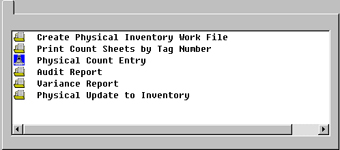
Physical Inventory
Clubmaster Inventory Control includes complete Physical Inventory transacting.
The Create Physical Inventory Work File allows you to "Freeze" the inventory levels. "Freeze" means
to fix the current inventory quantity levels (on file) in order to take a physical count and compare that figure with the
"Frozen" quantities.
The Inventory Audit Report prints physical inventory information. The report may be printed by
specific branch or all branches and by a starting and ending Tag Code.
The Physical Inventory Variance Report covers every occurrence of a variance between
the On Hand Quantity and the Actual Count entered on the Physical Count Entry Screen.
The Physical Update to Inventory options allows you to tell the system to actually
post the Physical Inventory Actual Amounts to the real inventory file.
 |
Back to Top |
|


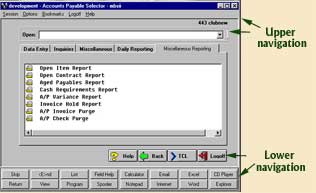 The upper and lower navigation of this
screenshot are the same for the screenshots listed below, the only differences are the tabs going across
and the menu selection listed under each tab. The following are images of the various tabs and menu selections.
The upper and lower navigation of this
screenshot are the same for the screenshots listed below, the only differences are the tabs going across
and the menu selection listed under each tab. The following are images of the various tabs and menu selections.