Accounts Receivable
Helping you gain control of two important areas of concern incoming
cash and customer relations, Clubmaster speeds up payment to you by producing timely statements
and invoices. Clubmaster Accounts Receivable Accounting Software facilitates Cash Receipts, On-Account
Payments, Miscellaneous Payments, Credit Memos and Debit Memos, Collection, Credit Limit
and Credit Processing, Automatic Service Charges and Statement Printing. Customer service
can be improved by providing immediate on-line account information including Open Invoices
in detail, Credit and Debit Memos in detail, Payment History, Last Paid Date and Amount
and Text Comments Per Invoice, all within seconds. Extensive Reporting includes AR Aging,
Customer Aging, Open Balance and Delinquent Accounts, Invoice Reports and Salesman
Receivables. With Clubmaster General Ledger, Accounts Receivable transactions are automatically updated to General Ledger. |
Account Receivable Data Entry
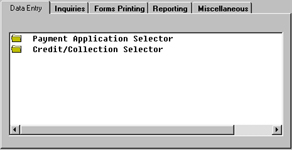
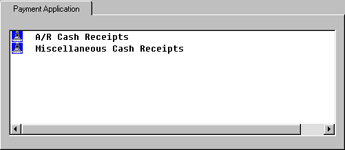
Accounts Receivable Payment Application Selector includes two methods for payment application
of incoming cash, Accounts Receivable Cash Receipts -apply cash to Customer Account, Invoices or Debit Memo and Miscellaneous
Cash Receipts -apply cash directly into General Ledger for non-customer related incoming cash
|
|
Credit/Collection Selector
The Credit/Collection Selector includes the ability to create
and process Customer Credit and Debit Memos, inquire and maintain customer and order
credit status and review Customer(s) on Credit Hold, Order Hold and New Customer(s) on
Credit Hold. Included are several reports and inquiries. |
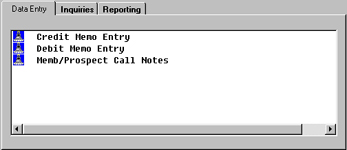
Credit Memo Entry
With Clubmaster Credit Memo(s) may be created by several methods. The method you choose is
dependent on the way you do business. To create a Credit Memo pertaining to a customer invoice to make corrections or adjustments
simply enter the original invoice number. Clubmaster will automatically create the Credit Memo and assign a number based on the
original invoice with the ability to modify. Additionally, Credit Memo(s) may also be created for miscellaneous reasons using
a reason code, that is, to establish the explanations most commonly used for processing Credit Memos other than products in Inventory.
Reason Codes are setup in the Clubmaster File Maintenance Module. Credit Memos automatically affects Sales Figures, Accounts Receivable
and Inventory - if using Clubmaster Inventory Control you have the option to return the product back to stock. |
|
Debit Memo Entry
A Debit Memo is issued to make a Debit Adjustment (or additional charge) against an invoice already existing in your
Accounts Receivable files OR to create a charge to a customer as a separate entity. For example, you may want to issue a Debit Memo for freight
only or for a service charge. In short, a Debit Memo is an Invoice created without an order being entered to create the invoice. |
 |
|
 |
|
| Back to Top |
Credit/Collection Reports
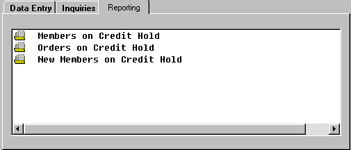
The Credit/Collections Selector includes several reports to help
streamline customers relations. The Accounts Receivable Credit/Collection Selector includes a lookup or report of Orders
on Credit Hold. The system will look through the Order File in Clubmaster Order Processing or any other Clubmaster
module that contain orders such as, Clubmaster Service Repair and choose all orders which are on Credit Hold.
Orders on credit hold may have been placed on hold automatically by the system or manually by an operator.
 |
Accounts Receivable Inquiries
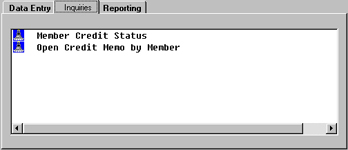
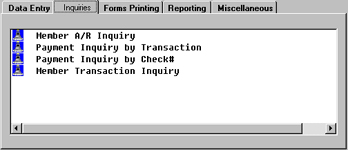
As important as the ability to handle a variety of payment types, is the ability to know
immediately the exact status of a customer’s account. Through inquiries and reports, customer information like
Accounts Receivable balance, on-account amounts, open invoices and amounts, open credit and debit memos, last
paid date and average days to pay is instantly available. Such reports as the Accounts Receivable Payment History
Inquiry and the Accounts Receivable Payment Inquiry by Check Number provide detailed payment history information. |
|
Accounts Receivable Reporting
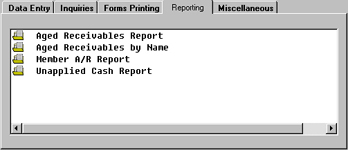
Printing the aging reports (generated either by customer or salesman) will provide you with
the status of each open account from current receivables through 150 days. This is the same information which will
appear on the monthly statements you send to your customers. At your discretion, you may assess a service charge on
overdue accounts. This amount will appear on the monthly statement. The percentage is maintained by you in the Company
Master File. Preview Reports may be printed for each aspect of cash receipts to review transactions for potential change
prior to printing journals which update to General Ledger. |
 |
|
 |
|
| Back to Top |
Memo Print Selector
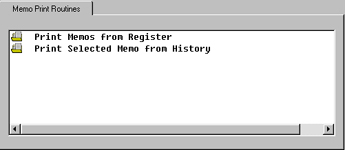
Normally, as often as you create debit or credit memos, you will print them to
mail to your customers. Any day you create a credit or debit memo you will probably want to print and
mail a record of the memo to your customer. Although printing a hard copy of your memos is not mandatory,
it is standard business practice. |
|
Accounts Receivable Miscellaneous
Miscellaneous Cash Receipts enables cash application directly into the General Ledger - to
specific General Ledger account(s), rather than to a particular invoice. This unique feature allows you to enter a
cash receipt that is un-related to sales - such as a refund. |
 |
|
 |
|
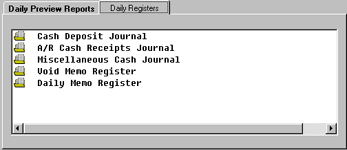
Daily Preview Reports
The Preview Reports should be printed out before running the Registers/Journals. Preview
reports allow you to review the transactions and to facilitate necessary changes prior to updating to the
General Ledger when running Registers/Journals. |
|
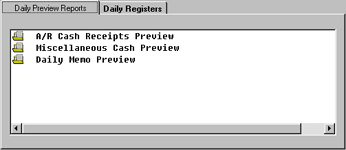
Daily Registers
Every day your primary Accounts Receivable function is to apply cash received to your customers' records.
On any day that you apply cash to any customer invoice, you should run the Accounts Receivable Cash Receipts Register.
Remember, when you run this register, you are not only printing the Cash Receipts Journal, but you are actually updating your Accounts Receivable
and General Ledger files. So running (and printing) your Daily Accounts Receivable Cash Receipts Journal on a timely basis is important toward
keeping your Accounts Receivable and General Ledger files up to date. |
 |
|
 |
|
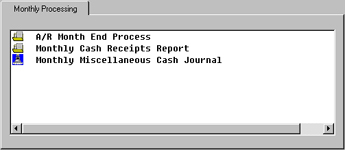
Monthly Processing
On any day that you apply cash to any customer invoice, you should run the Accounts Receivable Cash Receipts Register. Remember, when
you run this register, you are not only printing the Cash Receipts Journal, but you are actually updating your Accounts Receivable and General Ledger files.
So running (and printing) your Daily Accounts Receivable Cash Receipts Journal on a timely basis is important toward keeping your Accounts Receivable and
General Ledger files up to date.
 |
Back to Top |
|


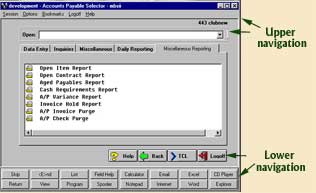 The upper and lower navigation of this
screenshot are the same for the screenshots listed below, the only differences are the tabs going across
and the menu selection listed under each tab. The following are images of the various tabs and menu selections.
The upper and lower navigation of this
screenshot are the same for the screenshots listed below, the only differences are the tabs going across
and the menu selection listed under each tab. The following are images of the various tabs and menu selections.