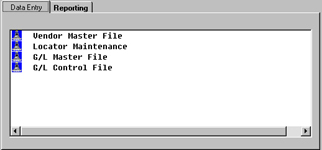
Accounts Payable File Maintenance Data Entry
 |
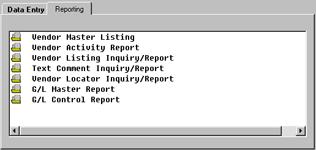
Accounts Payable File Maintenance Reporting
 |
Accounts Payable Locators
Each Clubmaster module ships with a cross reference index, referred to as key word search,
already built for most major fields. Locator maintenance, creation and inquiries may be maintained or enhanced upon. For example,
a user may want his or her customer locator to accept the Customer’s telephone number as the search to find the customer
information.
Locators - Key Word Search - can be used in Clubmaster , by simply pressing
"enter" at any field requiring a numeric entry. The system will return a series of dashes from where you can enter
your locator - Key Word Search. Clubmaster will search for your data as specified and display all that applies for
selection, then the information is automatically filled in for you. Additional locators can be entered at point of entry in their
respective master file or here in Locator Maintenance.
This Locator selection displays existing locators and allows maintenance of locators such as, adding,
changing or deleting the locator(s) associated with a Vendor. |
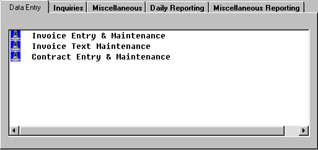
Invoice Data Entry
Entering and maintaining a vendor invoice is simplified while retaining all the most sophisticated
Accounts Payable options found on much more expensive systems.
 |
| Back to Top |
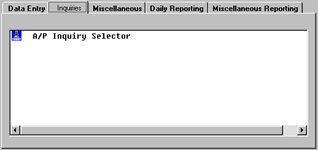
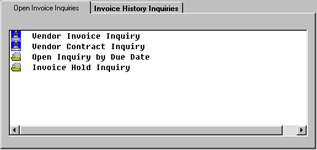
Accounts Payable Inquiry Selector
At any time, you may access the complete current or historical records for any type of
Accounts Payable Invoice. Several selections are provided for Open Accounts Payable
Invoice and Accounts Payable Invoice History Inquiries offering quick look-up of critical
detailed information at your fingertips. |
Accounts Payable Inquiry Selector
 |
|
Open Invoice Inquiry
 |
|
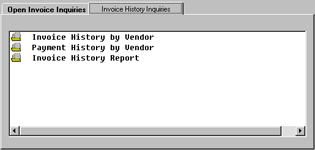
Accounts Payable Invoice History Report
The Clubmaster Accounts Payable Invoice History Report is offered to print only,
this is because of the amount of Accounts Payable invoice history contained with this selection. The system will print all the paid
invoices associated with each vendor. You can restrict the number of transactions through a starting and ending date.
The report includes Vendor Number, Vendor Name, Invoice Number, Purchase Order Number, Invoice Date, Net Amount,
Tax Amount, Freight Amount, Miscellaneous Amount, Discount Available, Discount Date, Due Date, General Ledger
Post Amount and General Ledger Account Numbers. |
|
Accounts Payable Invoice Hold Inquiry
For a review of all invoices that have been placed "On Hold" for payment utilize this inquiry
to display on screen or to print on your printer. It produces an inquiry screen of "On Hold" invoices by a
specified Vendor or you can indicate 'All' to select all Vendors that reflect invoices that are on hold.
Information included are Vendor Number, Vendor Name, Invoice Number, Invoice Terms, Invoice Date,
Due Date and Balance Due. |
 |
|
|
| Back to Top |
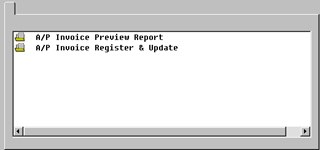
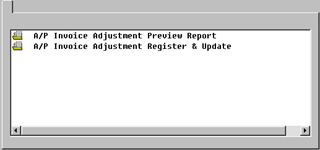
Accounts Payable Invoice Preview Report
The Accounts Payable Invoice Preview Report may be printed and used to review the Invoice Register Journal without updating the General
Ledger. After you run the preview report and look it over for any possible corrections, you may then print the actual register. The Accounts Payable Invoice Register & Update
Journal will update the General Ledger.
This report includes all Vendors and lists all open invoices entered during a session with the Vendor Number, Vendor Name, Purchase Order
Number, Invoice Date, Net Amount, Tax Amount, Freight Amount, Miscellaneous Amount, Discount Available, Discount Date, Due Date, General Ledger Post Amount and General Ledger
Account Number.
General Ledger Posting Summary prints as well with Debit and Credit Amount, Total Accounts Payable Posting, Total Expense Posting and
Total Journal.
 |
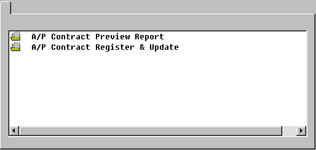
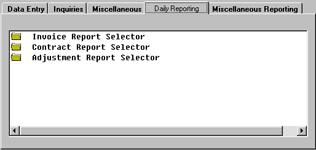
Accounts Payable Contract Report Selector
This selection will print a report which lists all of the
contracts which are due to be invoiced. It will also create an invoice for each contract
listed. |
|
Accounts Payable Adjustment Report Selector
The Clubmaster Accounts Payable Adjustment Report selection will report Accounts Payable Invoices that have been changed
in any manner since entry and update of the Invoice Register. If you find it necessary to
recall an invoice to make changes (after invoice update) it is important and necessary to print Adjustment reports. This will insure
proper update to General Ledger. The Accounts Payable Adjustment Report Selector offers an Accounts Payable Invoice
Adjustment Preview Report and an Accounts Payable Invoice Adjustment Register and Update. |
 |
|
 |
|
| Back to Top |
Accounts Payable Daily Reporting |
|
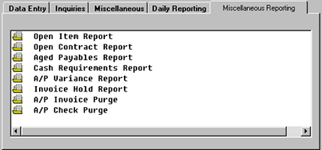
Accounts Payable Open Item Report
This selection will print a report which lists by vendor all open Accounts Payable
invoices including invoices selected for payment which have not had a check issued against them.
The report will provide Vendor Number, Vendor Name, Invoice Number, Purchase Order
Number, Invoice Date, Net Amount, Tax Amount, Freight Amount, Miscellaneous Amount, Discount Amount,
Paid Amount (if partially paid or selected for payment), Balance Due, Discount Date and Due Date. |
 |
|
 |
|
Accounts Payable Open Contract Report
This report is the same as the Open Item Report except that it lists all open contracts by vendor.
The Open Contract Report includes Vendor Number, Vendor Name, Invoice Number, Purchase Order Number, Invoice Date, Net, Tax,
Freight, Miscellaneous, Discount Amounts and Paid Amount, Balance Due and Due Date. |
|
Accounts Payable Cash Requirements Report
Clubmaster helps you manage your cash
flow with an Accounts Payable Cash Requirements Report. This report prints a list of open
Accounts Payable invoices by vendor - projecting cash requirements aged through three
different due dates entered. This includes Accounts Payable Contract (re-curing) invoices.
The report supplies the Vendor Number, Invoice
Number, Invoice Date, Discount Date, Total Amount Due, Discount Available and Amount
Payable Through Aging Dates you specify, totaling cash required for each date category. |
|
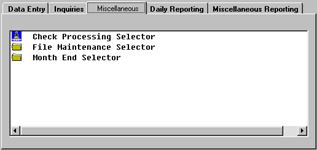
Accounts Payable Check Processing Selector
From this selector you can Select, Print, Reverse, and Reconcile your Accounts Payable
Checks. Clubmaster includes the ability to post "Manual" and
"Hand" Checks for a completely accurate picture of your cash position and
financial obligations. You can also print or inquiry detailed Check processing information.
 |
| Back to Top |
Accounts Payable Manual Check Entry (COD)
With Clubmaster, you have the
ability to post a Manual Check. A Manual Check is a check payment you actually WRITE BY
HAND for which you do not have an invoice entered into the system. An example would be a
check written as a COD. Instead of entering an invoice, you would write the check and then
at some point, before month end processing, enter the data in the Manual Check Entry
feature.
Entering your data in the Manual Check feature is very similar to entering an Invoice
on the system however because of the nature of a manual check, you may not have a related Purchase
Order. Therefore, you may have to fill in most of the information. Note - if the vendor
and or Purchase Order is on file the system will automatically fill in this information.
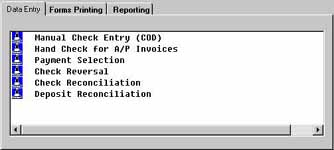 |
Hand Check For Account Payables Invoices
The other situation where you might have to write a hand written Check is when you have an invoice ALREADY ENTERED INTO THE SYSTEM and
you need to suddenly write a Check.
This is where you use the HAND CHECK FOR ACCOUNTS PAYABLE INVOICES feature. It is not a difficult task since the invoice is already
in the system. Therefore, this feature recalls the invoice, you simply add the information of the Check Number, Check Date and Bank Number. It is critical
to the proper functioning of Clubmaster that you fill out this information each and every time you have an invoice entered into the system against
which you find it necessary to write a Hand Check. |
|
Accounts Payable Payment Selection
Your Vendor invoices are entered, all registers run and updated, and now you are ready to
produce automated checks. The first step in setting up Clubmaster Check printing is PAYMENT SELECTION, that is, to
select the invoices you want to pay. Clubmaster offers several options to
select invoices for payment you may choose the method that suits your business accordingly. |
|
| Back to Top |
Accounts Payable Re-Set Payment Codes
Using this Clubmaster Accounts Payable feature is beneficial after you run a Payment
Selection Register (and before printing checks) if you determine not to pay certain invoice(s).
This feature allows you to re-set the payment code back to open status, by entering 0, thus the
invoice will not be selected for payment and Clubmaster will automatically place the invoice back open ready for selection
at a later date.With this selection a simple recall of a Vendor and the Invoice Number or all Vendors allows you to re-set
the invoice(s) to open status.
If you did print a check and decide not to pay, it is then required that you use the Check Reversal feature. |
|
Accounts Payable Reconciliation Report
This report will include all outstanding
Accounts Payable checks by bank. If you are utilizing Clubmaster Accounts Receivable
this report will include outstanding deposits providing a comprehensive report to balance
to your bank statements.
Prior to reconciling Accounts Payable checks and
immediately after it is best to run this report to obtain the current status. |
|
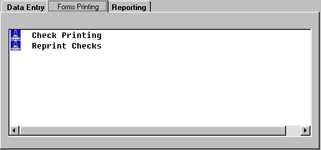
Accounts Payable Check Printing
Clubmaster Accounts Payable Check Printing provides the option to print a test check alignment assuring
Accounts Payable checks will align and print correctly when you begin the printing
process. The system keeps track of the last printed check number used by bank and will
display for your reference at the check printing process.
The Vendor Account number, Invoice Number(s), Invoice Date(s)
and Invoice Gross and Net Amount(s) and if applicable Credit Invoice and details will
print on the check stub. Additionally, several lines of custom text may be entered to
appear on the check stub as well.
 |
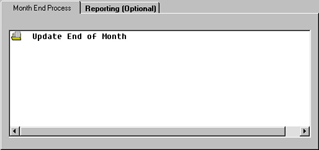
Accounts Payable Month End Selector
End of Month Processing for Accounts Payable will close-out the monthly activity and
advance to the following month. The system will alert you if it detects incomplete daily registers. |
| Back to Top |
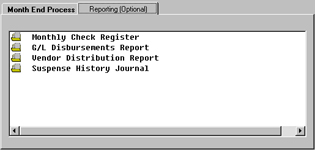
Accounts Payable Monthly Check Register
Accounts Payable Monthly Check Register provides a monthly roster of Checks issued. The register
includes Bank Number, Check Number, Vendor Number, Name, Check Date, Check Type, Void Flag, Check Gross, Check Discount, Check
Amount, Balance Due and Register Totals. |
|
Accounts Payable Journal History By Vendor
For look-up or reporting this feature when entering the Invoiced Journal Number will include Vendor Number and Name,
Invoice Number, Purchase Order Number, Net, Tax, Freight and Miscellaneous Amount, Due Date, General Ledger Post Amount and
General Ledger Account Number. |
|
Accounts Payable Disbursements Report
The Accounts Payable Disbursements Report contains monthly General Ledger Activity by General
Ledger Account Number and Description.
The report includes General Ledger Account Number, General Ledger Descriptions, Journal Number,
Debit Amount, Credit Amount, Vendor Number, Vender Name, Invoice Number and Register Totals.
Additionally, this report gives a monthly assessment of Accounts Payable information that has
updated to "Suspense Journals" in General Ledger. |
|
Accounts Payable Distribution Report
The Accounts Payable Distribution Report provides monthly General Ledger Activity by Vendor.
The report includes Vendor Number, Vendor Name, General Ledger Account Number, Debit Amount, Credit Amount, Journal Number
and Register Totals. |
|
Accounts Payable Month End Selector
 |
|
End of Month Reporting
 |
|
Accounts Payable Partial Paid Open Invoices
Clubmaster Accounts Payable allows you to make a partial payment towards an entered Invoice
while maintaining the detailed information for reference here until it is paid in full.
This inquiry will display the invoices that are partially paid for a vendor(s) during a specified
due date period selected. Information includes: Invoice Number, Invoice Date, Due Date, Original Amount of Invoice and Check
Number, Check Date, Discount Taken, and Check Amount actually paid towards the invoice. |
Back to Top |
|


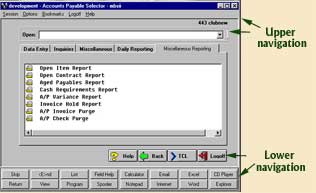 The upper and lower navigation of this
screenshot are the same for the screenshots listed below, the only differences are the tabs going across
and the menu selection listed under each tab. The following are images of the various tabs and menu selections.
The upper and lower navigation of this
screenshot are the same for the screenshots listed below, the only differences are the tabs going across
and the menu selection listed under each tab. The following are images of the various tabs and menu selections.